NBC Sports
- 3.6
- Rating
- 10.00M
- Installs
- Free
- Price

 Analysis by App-foxy
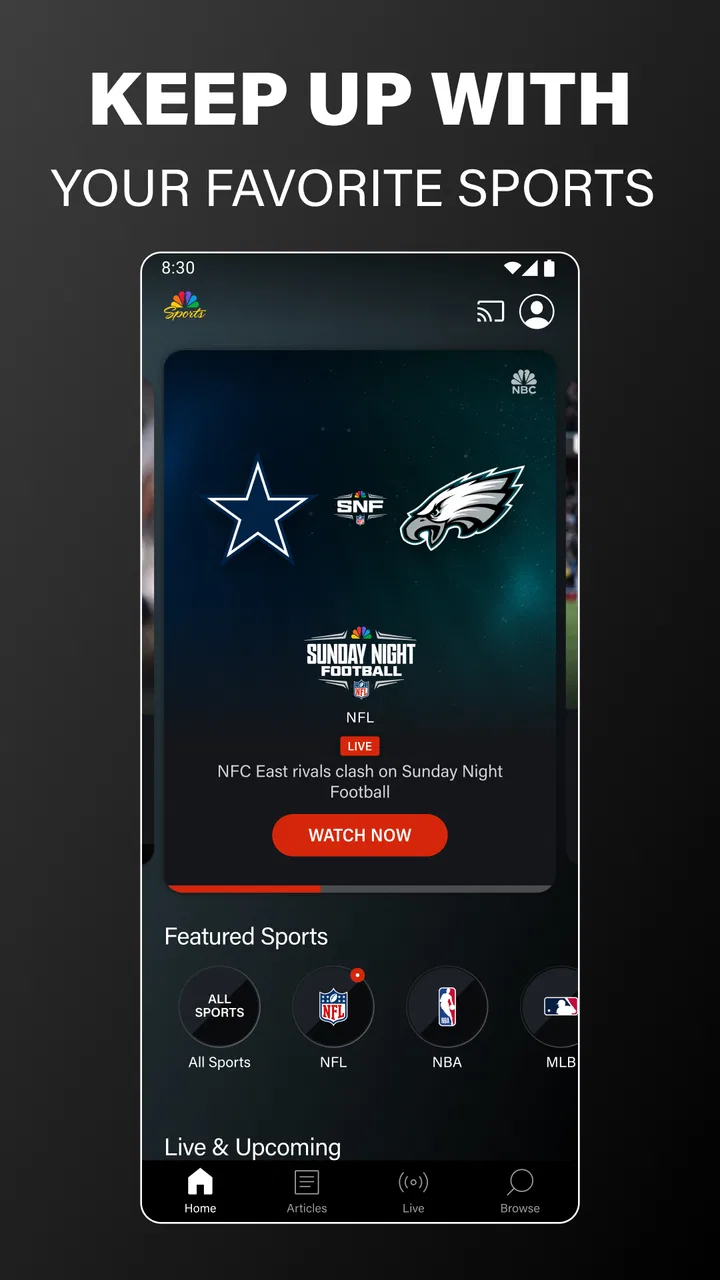
I approached NBC Sports as a practical way to follow NBC’s sports coverage rather than as a complete replacement for every sports service. It is a free Sports app from NBCUniversal Media, LLC, designed around live sporting events, Sunday Night Football, and selected NBC television programming. That focus makes the first decision fairly simple: if the events you care about are carried through NBC, the app can be useful; if you want one place for every league and every match, you may need a broader alternative.
My first impression was that the app makes the most sense when I already know what I want to watch. Opening it with a specific game or show in mind feels much more rewarding than browsing without a plan. The experience is built for viewers who want to get to live coverage, check what is available, and keep up with familiar NBC programming. It is less compelling for someone looking for an open-ended sports discovery platform.
What to expect before you start watching
The app has been available since July 12, 2012, and its current version is 9.29.0. It supports Android 7.0 and later, which is helpful if you are using an older phone that still handles everyday streaming comfortably. Its Everyone content rating also makes it suitable for general household use, although the actual viewing experience will naturally depend on the sporting event or television program selected.
You May Also Like

 Pandora - Music & Podcasts
Pandora’s Music Is Easy to Start, but Harder to Recover
Pandora’s strength is its low-effort path from a seed to a station. Its weak spot is how much confidence it asks you to place in connection, setup, and quiet recovery.

 AccuWeather: Weather Radar
AccuWeather Review: A Quick, Clear Forecast for Everyday Decisions
For everyday plans, the best forecast is the one you can understand quickly. AccuWeather makes rain timing, radar, and local conditions easy to act on, with a few trade-offs.

 Hill Climb Racing
Why Hill Climb Racing Still Turns Crashes Into One More Run
A tiny car, a bumpy hill and one more upgrade: Hill Climb Racing keeps resurfacing because its simple chaos makes every near-miss feel personal.

 AliExpress - Shopping App
AliExpress Makes Global Shopping Feel Personal, but Shoppers Bear the Risk
AliExpress turns a global marketplace into a pocket-sized discovery engine. Its reach is useful, its shopping loop compelling, and its trade-offs easy to miss.

 Lords Mobile: Kingdom Wars
Lords Mobile Is a Kingdom-Building Routine, Not a Quick Match
A case-by-case verdict on the building, battles, device demands, and social commitments that make Lords Mobile rewarding for some players and exhausting for others.

 PDF Scanner app - TapScanner
TapScanner Makes Paperwork Easier to Capture, Check, and Share
TapScanner makes scanning with a phone feel less like a rescue operation and more like a dependable step in getting work done. Its capture tools are useful, though not flawless.
More From Our News Desk
View All News


NBC Sports is free to install, but “free” should be understood as access to the app itself, not as a promise that every piece of video will be available in every situation without conditions. Live sports can involve viewing requirements connected to the broadcast, location, or television access arrangement. I would therefore treat the app as a convenient doorway to NBC coverage, not assume that installing it alone guarantees access to every event.
That distinction is important for first-time users. A common disappointment with sports applications is expecting the download to function like a universal pass. Here, the sensible approach is to check the event or program you want, follow the sign-in or viewing instructions shown in the app, and only then decide whether it fits your regular routine. This saves time and gives you a more realistic idea of what the service can do for you.
The app’s reach is substantial, with over ten million installs, a 3.6 average rating, and around 108 thousand ratings. Those figures suggest that many people use it, but they also show why I would not judge it solely by popularity. Sports streaming is highly dependent on device behavior, network quality, broadcast availability, and personal expectations. A viewer who mainly follows NBC programming may have a much better experience than someone expecting a full multi-network sports hub.
Who will get the most from it
I would recommend trying it if your viewing habits center on NBC sports coverage or Sunday Night Football. It is also a reasonable choice for someone who wants sports and NBC television content in the same app instead of switching immediately between several unrelated services. The strongest use case is a viewer who already knows the network’s programming and wants a direct mobile option when away from the television.
I would be more cautious if your priority is deep coverage across many sports providers. A league-specific app may offer more specialized schedules, statistics, team tools, or replay organization for that particular competition. A broad live-TV service may also be better if your household wants a large mix of channels rather than an NBC-centered experience. In other words, this app works best as a focused companion, not necessarily as the only sports app on your phone.
Getting through the first setup without unnecessary frustration
After installing it, I would begin with a simple check rather than immediately searching through every screen. Make sure the app opens normally, look for the live or current programming area, and identify whether the event you want is visible. This quick sequence tells you more than browsing through promotional panels because it tests the exact reason you installed the app.
If the app asks you to sign in or verify access, use the account connected to the television or service arrangement you normally use for NBC viewing. Entering a different account can create the impression that the app is broken when the real issue is simply that the wrong access details were used. I find it useful to complete this step before a major game begins, when there is less pressure and fewer reasons to rush.
For a smoother first session, I would also prepare the phone before opening a live stream. Close demanding apps, connect to a reliable Wi-Fi network when possible, and avoid starting the test at the exact moment an important event begins. These are ordinary streaming precautions, but they matter more with live sports because a delay or failed launch is far more annoying when the action has already started.
Another useful habit is to decide whether you are watching casually or seriously. For casual viewing, a phone screen and ordinary mobile connection may be enough. For a full game, especially one you do not want interrupted, I would use the most stable connection available and keep the device plugged in if the battery is already low. The app is free, but live video still asks a lot from a phone compared with reading scores or checking a schedule.
Finding a meaningful first success
The best first success is not installing the app or opening its home screen; it is reaching the live program you actually came for. I would choose a currently available event or Sunday Night Football presentation, open its viewing option, and stay with it long enough to confirm that the stream behaves as expected. Once that works, the app becomes much easier to evaluate honestly.
If you are testing it outside a major event, use a familiar NBC television show or another available program. That gives you a low-pressure way to learn the navigation and determine whether the video starts reliably on your phone. I prefer this approach because it separates account or setup problems from the excitement and traffic surrounding a major live broadcast.
When the stream begins, resist the temptation to change several settings at once. First confirm that audio, picture, and playback are working. Then explore the available controls at your own pace. This simple order helps identify whether a problem comes from the app, the connection, or a device setting. It also prevents a first-time viewer from abandoning the app because the initial screen looked busy.
For an everyday scenario, imagine that you are away from home on Sunday evening and want to check the football broadcast from your phone. I would open the app before kickoff, sign in early if required, locate the live program, and test playback while there is still time to adjust the connection. If the stream works, the app gives you a convenient backup to the television. If it does not, you have discovered the problem before missing the opening moments rather than during them.
This workflow also explains the app’s main strength: immediacy when the desired NBC content is available. I do not need to search through unrelated sports categories or build a complicated viewing setup. The trade-off is that the usefulness of the app depends heavily on whether NBC is carrying what I want at that moment.
Confusion points that can make the app seem less useful
The first common misunderstanding is treating the app as though it contains every sports event. Its purpose is tied to NBC’s live sporting coverage and NBC television content, so the absence of a particular game does not automatically mean the application has failed. Before troubleshooting, I would confirm that the event belongs to the coverage I expected to find.
A second source of confusion is the difference between seeing a program and being able to play it immediately. Sports apps often show upcoming or featured content that is useful for discovery but not necessarily live at the moment you open the screen. I would read the wording around the program carefully and look for the actual viewing action instead of assuming that every tile represents an active stream.
Access prompts can also feel unclear when a user expects a free app to mean unrestricted viewing. My advice is to follow the prompt rather than repeatedly reopening the same video. If the app requests a provider or account step, complete it with the credentials associated with your normal television access. If that arrangement does not include the desired content, changing phones or reinstalling the app is unlikely to solve the underlying issue.
Playback problems deserve a similarly calm approach. First test another available program, then try a more stable connection, and finally reopen the app. If one program works while another does not, the issue may be tied to that event or its availability rather than the whole application. This is a more useful diagnostic method than concluding from one failed launch that nothing in NBC Sports works.
Notifications and featured content can also influence how the app feels from day to day. I would keep only the alerts that help me remember a program I genuinely intend to watch. If the app becomes noisy, I would adjust the phone’s notification controls rather than deleting it immediately. The value of a sports app comes from helping me reach relevant coverage, not from making me browse every highlighted item.
Using it alongside other sports options
Compared with a league-specific application, NBC Sports feels broader in its connection to NBC programming but less specialized for one team or competition. A dedicated league app may be the better choice when I want detailed team information, competition-focused tools, or a schedule built around one sport. NBC’s app is more appealing when the network’s live broadcasts and television shows are already part of my routine.
Compared with a general live-TV replacement, this app is more focused and potentially easier to approach for NBC content. The downside is that it does not remove the need for another service when a desired event belongs elsewhere. I would use a broad television service for household channel variety, then keep NBC Sports as a focused option if its coverage is especially important to me.
It also differs from score-only sports apps. A score app is quicker when I only need a result, a live score, or a brief update while commuting. NBC Sports makes more sense when I want the actual broadcast and the surrounding television content. If I am in a situation where video would be inconvenient, opening a lighter score service may be the smarter choice.
One non-obvious trade-off is that the app can be valuable even if I do not use it every day. I can keep it installed as a targeted tool for major NBC events, while relying on another app for daily scores and wider sports coverage. That arrangement avoids forcing one application to satisfy two very different needs: live network viewing and comprehensive sports tracking.
Small habits that improve the experience
My first tip is to test access before the event, not during it. A short rehearsal with the exact account and device you plan to use can reveal sign-in friction early. This is especially worthwhile for Sunday Night Football, where a few minutes spent preparing can make the difference between watching comfortably and troubleshooting while the broadcast is underway.
My second tip is to use the app according to the screen available. A phone is excellent for checking or watching briefly when I am away from the television, but a long viewing session can be less comfortable because of the smaller display and battery demands. I would not judge the app unfairly for that limitation; I would treat mobile viewing as a flexible supplement rather than automatically as my main screen.
My third tip is to separate content discovery from playback testing. Browse the programming first, choose one realistic target, and then test it. This keeps the evaluation concrete. It also helps answer the question that matters most: can this app reliably get me to the NBC event or show I care about?
A fourth useful habit is to keep expectations tied to the broadcast schedule. If I open the app without knowing what NBC is showing, I may mistake a quiet selection for a lack of quality. When I use it around a known event or program, its focused design becomes much more understandable. This is one of the clearest differences between a network app and a general sports portal.
Who should install it and who should skip it
I think NBC Sports is worth trying for viewers who regularly follow NBC’s sports coverage, want access to Sunday Night Football, or appreciate having NBC shows near their live sports viewing. The free installation lowers the barrier to testing it, and support for Android 7.0 or later makes it accessible to many older devices. Its Everyone rating also makes it a straightforward household download from a content-rating perspective.
I would skip it as a primary choice if your main requirement is complete coverage from many networks, highly detailed league tools, or a score-first experience that consumes very little data. In those cases, a broad live-TV service, a specialized league app, or a lightweight scores application may fit better. Installing NBC Sports will not make those other needs disappear.
The rating of 3.6 from around 108 thousand ratings reflects a mixed public experience, and I think that is understandable for an app whose usefulness depends on content availability and viewing access as much as on its interface. I would not read the number as a simple verdict. Instead, I would ask whether the app’s specific purpose matches my viewing habits.
After using it with that expectation, my opinion is balanced but positive for the right audience. It is a focused way to reach NBC live sports and television programming, especially when I prepare before an important broadcast. It is not a universal sports destination, and users who want every event in one place may find that limitation quickly.
My recommendation is to install it, identify one NBC program you genuinely want to watch, and complete the first playback test before relying on it for a major event. If that path works and the coverage matches your interests, the app can become a useful part of your viewing setup. If your needs are wider than NBC’s programming, keep it as a supplementary option rather than expecting it to replace every other sports service.
FAQs for NBC Sports
01What can I watch on the NBC Sports app?
The NBC Sports app offers a wide range of live sports events, including NFL, NBA, NHL, Premier League soccer, NASCAR, golf tournaments, and more. Users can also access highlights, replays, and exclusive sports content. The availability of specific events may vary based on your cable subscription and geographic location.
02Is the NBC Sports app free to use?
The app itself is free to download, but access to live events and full content typically requires a cable or satellite subscription that includes NBC Sports channels. Some content, like highlights and clips, may be available for free. Users should check their subscription details for full access information.
03Can I stream NBC Sports on multiple devices?
Yes, the NBC Sports app supports streaming on multiple devices, including smartphones, tablets, smart TVs, and web browsers. However, the number of simultaneous streams may be limited by your cable or satellite provider's policy. It’s always a good idea to verify with your provider for specific streaming limitations.
04Do I need a high-speed internet connection to use the NBC Sports app?
A stable and high-speed internet connection is recommended for optimal streaming quality on the NBC Sports app. Slow or unstable connections can lead to buffering and lower video quality. For HD streaming, it's advisable to have at least a 5 Mbps connection or higher.
05How do I troubleshoot issues with the NBC Sports app?
If you encounter issues, first ensure your app is updated to the latest version. Restarting your device, checking your internet connection, and clearing the app cache can often resolve common problems. If issues persist, visiting the NBC Sports help section or contacting their customer support can provide further assistance.
Pros
- Live streaming of major sports events.
- Comprehensive sports coverage and analysis.
- User-friendly interface and navigation.
- Customizable alerts for your favorite teams.
- High-quality video stream with minimal lag.
Cons
- Requires a stable internet connection.
- Subscription needed for full access.
- Some regions have limited content.
- Occasional buffering during peak times.
- Ads can be intrusive without premium.

NBC Sports
Gallery